
When nobody answers, bluepenguin does.
Stop losing sales to voicemail.
BluePenguin answers calls, books appointments and takes messages using your business knowledge and rules, so your team can spend more time with customers.
Your trial account is created when you first log in.
Upgrade your package from the dashboard when you’re ready.

The phone shows the BluePenguin demo account’s mobile dashboard with weekly call activity, answered calls, bookings and messages.

-
Capture more opportunities
Calls, bookings and messages handled.
-
Save time on follow-ups
Automation on Pro.
-
Keep your team in sync
Call records and summaries together.
From answered call
to completed task.
Manage how your receptionist answers and review what happened on each call. Pro also automates follow-up in the tools your team already uses.
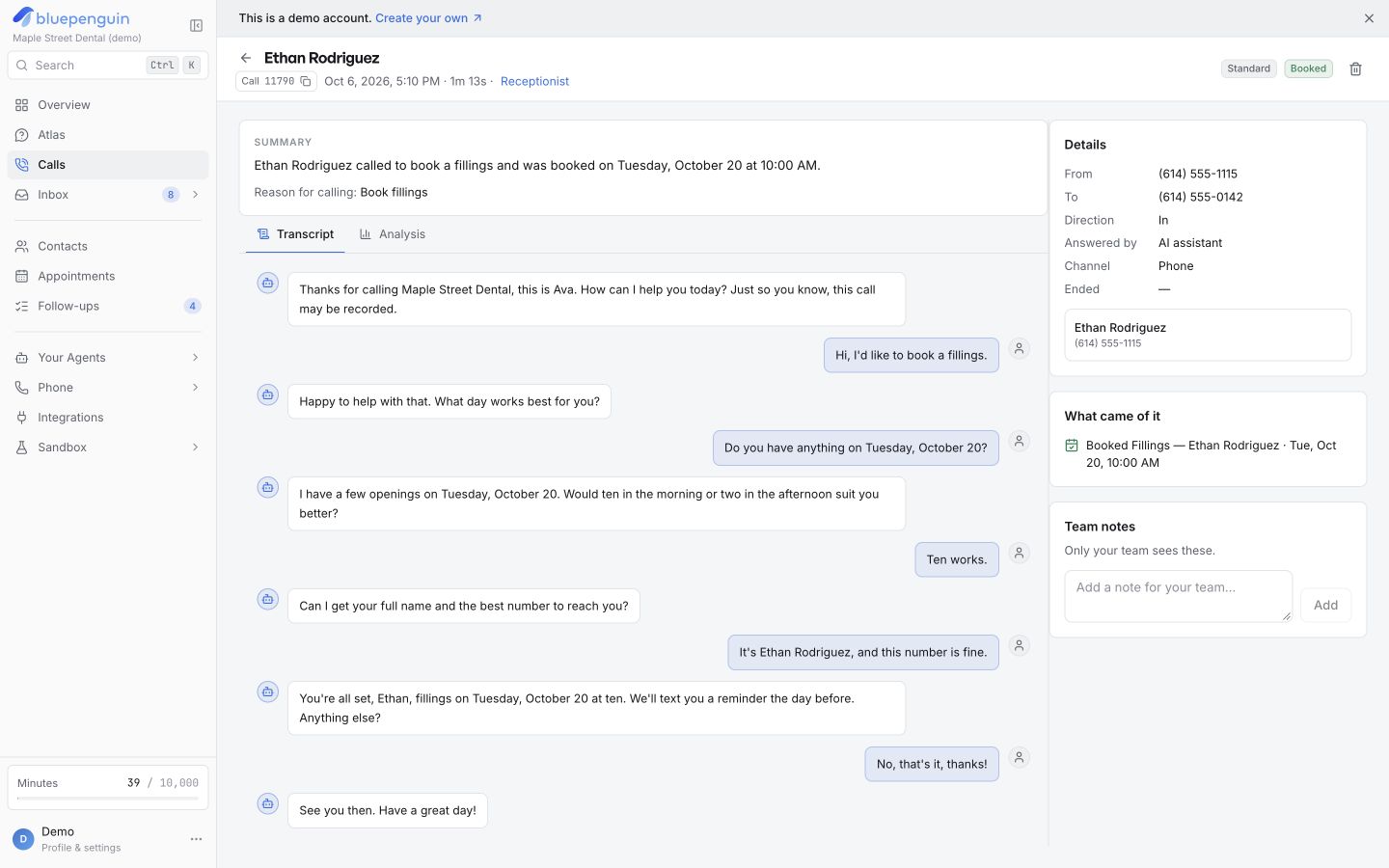
Know what happened
on every call.
See who called, what they needed and how the call ended. Review the recording, transcript and summary so your team knows what to do next.
- Listen to recordings or read transcripts
- Check the summary and outcome
- Spot questions that need better answers
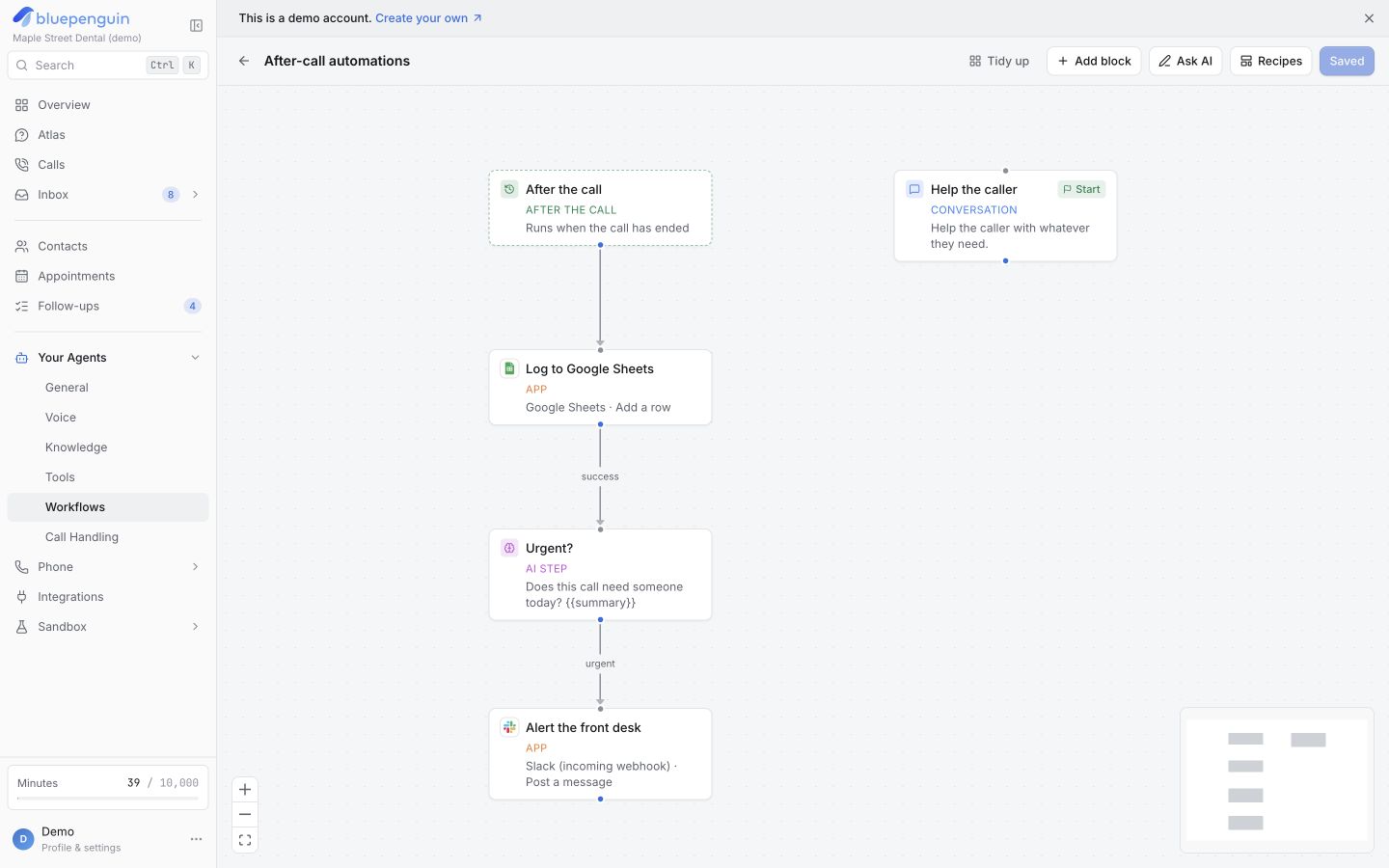
Let the call trigger
the follow-up.
On Pro, a completed call can update a customer record, send a message and notify your team. Set the steps once to cut down on manual follow-up.
- Send call details to your customer records
- Send follow-up texts and emails
- Notify your team in the apps they use
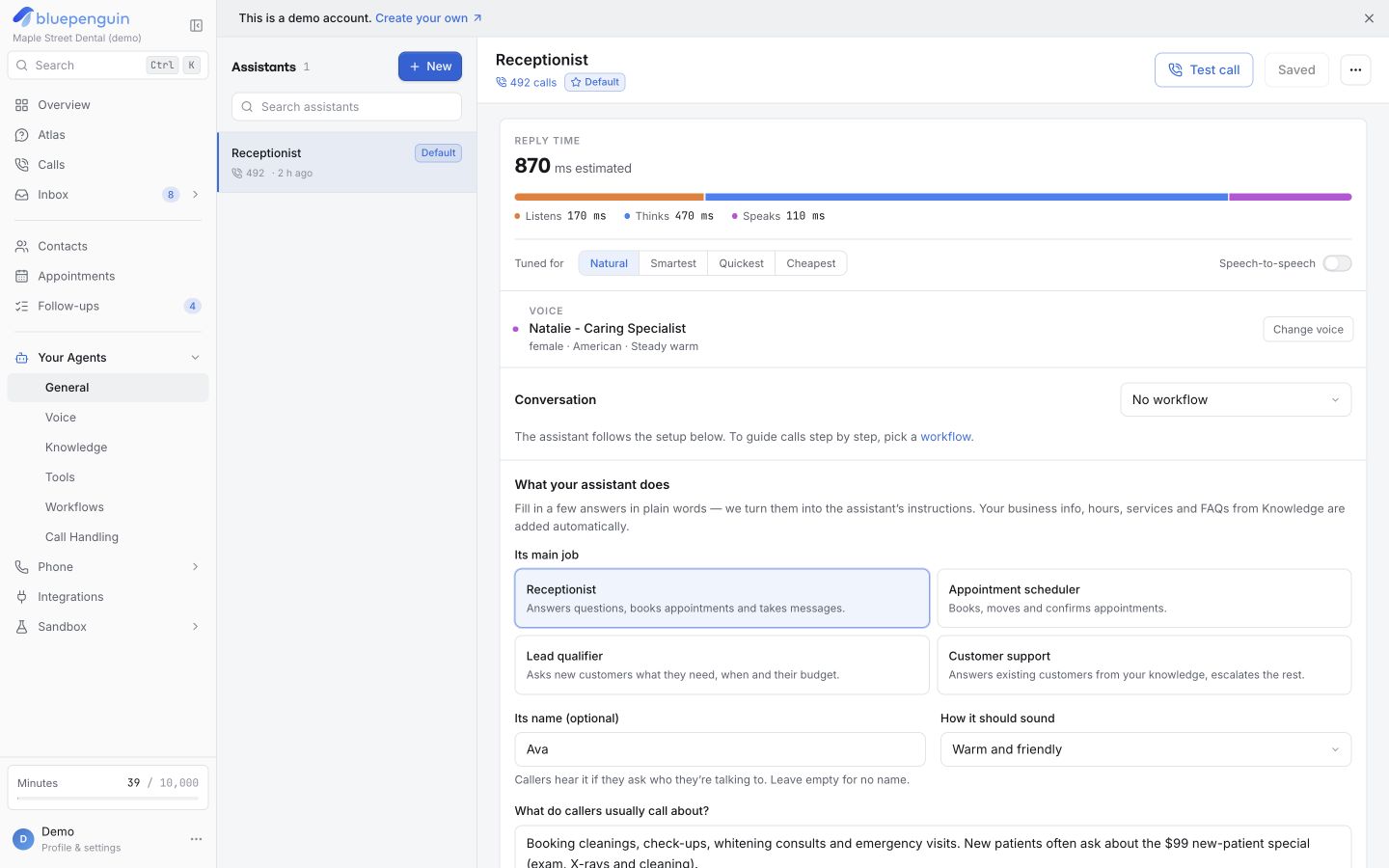
Answers that fit
your business.
Give your receptionist your services, hours and answers. Choose its voice and greeting, and set when it should book, take a message or transfer to your team.
- Choose the voice and greeting
- Set your business knowledge and rules
- Transfer callers to a person when needed
Set up your receptionist
around your business.
You choose what the receptionist handles. Your customers keep calling the same number, and your team stays in control.
Talk to the AIAdd your business details.
Add your services, hours and answers. Connect your calendar. On Pro, connect your other business tools too.
Make a test call.
Ask a question, try a booking and test a transfer. Check the result and adjust your instructions before customers call.
Forward your number.
Forward your existing number to BluePenguin. Set when the AI should answer and when calls should go to your team.
Connect calls
to your tools.
Book into your calendar. On Pro, send call details and follow-up actions to 60+ apps, so your team spends less time moving information around.
Browse integrations- Google Calendar




Choose a plan for your business.
Core is $49/month + $0.14/min and Pro is $99/month + $0.08/min. Pay for the AI calling minutes you use. Compare plans and calling rates.
Get in touch.
Questions about plans, setup or your business? We’re here to help.
Email our team
hello@bluepenguin.ioSend a message.
Your questions,
answered.
Looking for more detail?
Visit the help center
What can BluePenguin handle?
BluePenguin answers calls using your business knowledge and rules. It can answer questions, book appointments in your connected calendar, take messages and transfer callers to your team. Pro can also trigger follow-up actions in your other tools.
Can I keep my current phone number?
Yes. Forward your existing number to BluePenguin, so customers keep calling the number they know. You choose when the AI answers and when calls go to your team.
What happens when a caller needs a person?
Set the receptionist to transfer the call or take a message based on the topic, time of day or caller’s request. You decide which calls the AI handles and which go to your team.
Can I try it before I pay?
Yes. Log in to start your free trial, explore the dashboard and test your receptionist. You can upgrade your package from your account. You can also talk to the AI before logging in.